

You've built the website.
You've published content.
You may have even done some SEO research.
Yet when you search for your business or your target keywords on Google, your site is nowhere to be found.
You're not alone.
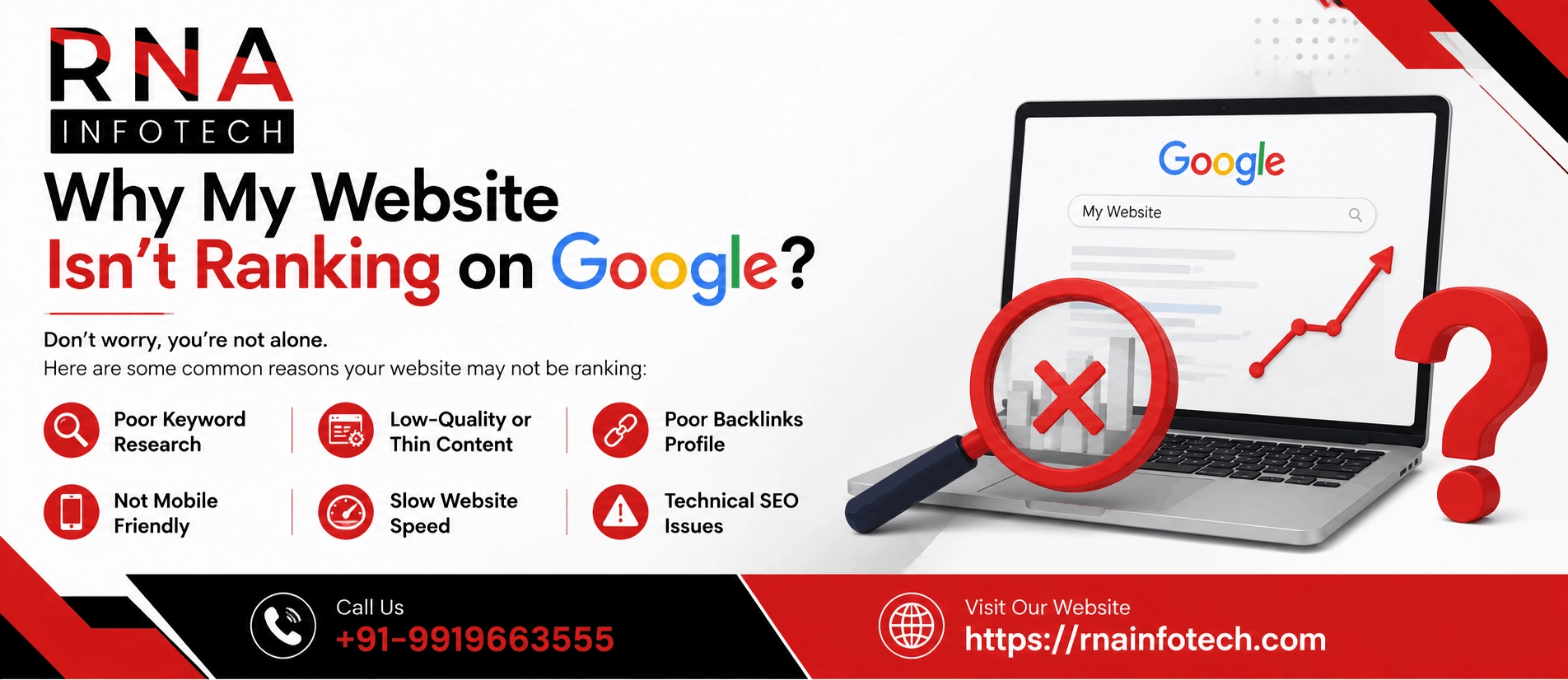
The vast majority of websites struggle to rank — not because Google is random or unfair, but because of specific, fixable problems. If you're wondering why my website is not ranking on Google, this guide is your complete diagnostic playbook. We'll walk through every major reason, explain what's actually going wrong, and show you exactly how to fix it.
Before diving into what's broken, it helps to understand the three-stage process Google uses before any page appears in search results.
Stage 1 — Crawling: Google sends automated bots (called Googlebot) to discover and visit web pages by following links across the internet.
Stage 2 — Indexing: Once a page is crawled, Google analyzes its content and stores it in its massive search index — think of it as a library catalog.
Stage 3 — Ranking: When someone searches a query, Google pulls the most relevant, trustworthy, and helpful results from its index and ranks them.
If your site fails at any of these stages, it won't appear in results — regardless of how good your content is.
How long does ranking take?
For brand-new websites, expect a wait of 3 to 6 months before seeing meaningful rankings. For established sites publishing new pages, 2 to 8 weeks is a typical timeframe. Ranking is a long game, but if you've been waiting longer than this without any progress, one of the problems below is almost certainly the cause.
The best tool for monitoring all of this is Google Search Console (free). If you haven't set it up, do that today — it will be referenced throughout this guide.
Technical problems are often the most overlooked — and the most impactful. These are issues where your site is essentially telling Google not to rank it, even unintentionally.
This is surprisingly common, especially for websites that were built on a staging environment and later launched without removing development settings.
Two culprits to check immediately:
How to check?
Type site:yourdomain.com into Google. If no results appear, Google either hasn't indexed your site yet or something is blocking it. You can also use the URL Inspection tool inside Google Search Console to check any specific page.
Google has limited time to spend crawling any given website. If your pages load slowly, Google crawls fewer of them — meaning large portions of your site may never get indexed.
Beyond crawling, page speed is also a direct ranking signal. Google's Core Web Vitals — three metrics that measure real-world user experience — are officially part of the ranking algorithm:
Tools to use
Google PageSpeed Insights and GTmetrix both give you a free analysis. Common quick wins include compressing images (use WebP format), enabling browser caching, using a CDN (Content Delivery Network), and minimizing render-blocking JavaScript.
Since 2019, Google has used mobile-first indexing — meaning it primarily uses the mobile version of your site to decide how to rank it. If your site looks great on desktop but is broken, cramped, or hard to use on a phone, you're being penalized in rankings.
Common mobile issues include text that's too small to read, buttons and links too close together to tap accurately, and content wider than the screen that forces horizontal scrolling.
How to check?
Use Google's free Mobile-Friendly Test tool (search for it in Google). It will flag specific issues and show you a preview of how Googlebot sees your mobile site.
If your site still runs on http:// instead of https://, you have a problem on two fronts. First, Google officially uses HTTPS as a ranking signal — even a small boost matters in competitive niches. Second, all modern browsers flag non-HTTPS sites as "Not Secure," which destroys visitor trust and drives up your bounce rate.
Fix: Install an SSL certificate. Many hosting providers offer this for free, and Let's Encrypt provides free SSL certificates for anyone who needs them. This is a one-time fix with lasting benefits.
Technical SEO gets your site through the door. On-page SEO is what convinces Google that your content deserves a high ranking.
This is the single most common mistake new website owners make. You can have technically perfect SEO, but if you're targeting keywords that either nobody searches for or that are too competitive, you won't rank.
Three keyword mistakes to watch for:
Tools for keyword research
Google Keyword Planner (free), Ahrefs, Semrush, or Ubersuggest all work well for finding keywords with the right balance of search volume and competition.
Your title tag is the blue clickable headline that appears in Google results. Your meta description is the grey text below it. Both significantly impact whether people click your result — and Google weighs click-through rate as a ranking signal.
Best practices for title tags:
Best practices for meta descriptions:
Common Mistake
Many sites have duplicate title tags across multiple pages, or rely on auto-generated ones from their CMS that are vague and unhelpful.
Google's Helpful Content Update (and its ongoing iterations) specifically targets content that exists primarily to rank in search rather than to genuinely help people. Signs of thin content include:
The fix: Write content that genuinely satisfies the person searching. Think about what they actually need to know, not just what keywords they typed. Add original examples, data, expert opinions, step-by-step instructions, and practical advice they can act on immediately. Longer isn't always better — comprehensive is better.
Even with perfect technical and on-page SEO, you need one more ingredient to rank competitively: trust. Google measures trust largely through backlinks — links from other websites pointing to yours.
Think of backlinks as votes. When a reputable website links to your content, it signals to Google that your content is trustworthy and valuable. New sites with zero backlinks will almost always be outranked by established sites that have accumulated links over time — even if your content is objectively better.
Quality matters far more than quantity. One link from a respected industry publication is worth more than 100 links from low-traffic, unrelated blogs.
Practical strategies to earn backlinks:
Not all backlinks help. Links from spammy, irrelevant, or low-quality websites can actually hurt your rankings and, in severe cases, trigger a Google penalty.
Warning signs include a sudden drop in rankings after a link-building campaign, a large number of links from unrelated foreign-language sites, or links from sites that exist purely to sell links.
Fix: Audit your backlink profile using Google Search Console (under "Links") or Ahrefs. Identify suspicious links, attempt to have them removed by contacting the webmaster, and use Google's Disavow Tool to tell Google to ignore links you can't get removed.
Many sites produce content consistently but still don't rank. The problem is often a structural content strategy issue, not just individual page quality.
Every search query has an underlying intent — what the person actually wants to accomplish. Google categorizes intent into four types: Informational (learn something), Navigational (find a specific site), Commercial (research before buying), and Transactional (ready to buy).
If your content format doesn't match the search intent, you won't rank — even with good writing and keywords.
Example: If someone searches "how to do keyword research," they want a tutorial (informational intent). If you send them to a product page for your SEO software (transactional intent), Google will rank tutorials above your product page every time.
How to check intent?
Simply search your target keyword and look at the top 10 results. Are they blog posts, product pages, videos, or tools? Google has already figured out the dominant intent — match it.
For time-sensitive topics — industry news, tool comparisons, how-to guides that change with software updates — content that was great two years ago may now be outdated and losing rankings.
Google favors fresher content for queries where recency matters. If you published a comprehensive guide in 2021 and a competitor published an updated version in 2024, theirs will often outrank yours.
Fix: Audit your existing content for outdated information. Add a visible "Last Updated" date. Schedule annual reviews of your highest-traffic pages to keep them current. When you refresh content, include meaningful additions — not just changing a date.
Random publishing — writing about whatever seems interesting — rarely builds rankings. Google increasingly rewards websites that demonstrate deep expertise in a specific topic area, not scattered coverage of many topics.
The Pillar + Cluster content model is the most effective structure:
Internal linking between your cluster articles and pillar page signals to Google that your site has deep, organized authority on that topic — and rewards it with higher rankings across all related queries.
If you run a local business and can't figure out why your website isn't showing up for local searches, the problem is usually one of these two things.
For any query with local intent — "plumber near me," "best café in [city]," "accountant in [area]" — Google shows a Local Pack of 3 businesses above the organic results. To appear here, you must have a verified, complete Google Business Profile.
What "complete" means:
Why reviews matter: Google uses both the quantity and quality of reviews as a local ranking signal. A business with 50 reviews averaging 4.5 stars will almost always outrank one with 10 reviews averaging 4.8 stars for local pack positions.
NAP stands for Name, Address, Phone number. Google cross-references your business information across dozens of online directories to verify legitimacy. If your business name, address, or phone number is listed differently across Yelp, Justdial, IndiaMart, Yellow Pages, or other local directories, it creates conflicting signals and hurts your local rankings.
Fix: Search for your business name across major directories and standardize your NAP information everywhere. Tools like Moz Local or BrightLocal can automate this audit and fix inconsistencies at scale.
Now that you know all the possible causes, here's a structured diagnostic process to pinpoint exactly what's holding your site back.
Step 1 — Check basic indexation Type site:yourdomain.com into Google. If you see results, your site is indexed. If you see nothing, Google either can't crawl it or has chosen not to index it — start with the technical SEO section above.
Step 2 — Open Google Search Console Check the Coverage report for crawl errors and indexing issues. Check the Core Web Vitals report for performance problems. Check the Manual Actions section — if Google has issued a penalty against your site, it will appear here explicitly.
Step 3 — Run a technical SEO audit Use Screaming Frog (free up to 500 URLs) or Semrush's Site Audit tool to crawl your site and surface issues like broken links, missing meta tags, duplicate content, slow pages, and redirect chains.
Step 4 — Audit your backlink profile Use Ahrefs, Semrush, or Google Search Console's Links section to see how many backlinks you have, where they're coming from, and whether any look toxic or unnatural.
Step 5 — Analyze your competitors Search your target keywords and study the top-ranking pages. How long is their content? How many backlinks do they have? What topics do they cover that you don't? This tells you exactly what Google wants to see.
Understanding Google penalties:
Use this checklist to prioritize your fixes. Start from the top — technical issues must be resolved before on-page and off-page improvements will have their full effect.
Technical SEO
On-Page SEO
Authority & Backlinks
Content Strategy
Local SEO (if applicable)
If your website isn't ranking on Google, the reason is almost always one of the 13 issues covered in this guide — or a combination of several. The good news is that every single one of them is fixable.
The most important thing to understand is that SEO is not a one-time task. It's an ongoing investment in the quality, authority, and technical health of your website. Sites that rank at the top don't stay there by accident — they consistently improve their content, earn new backlinks, and stay ahead of technical issues.
Start with this checklist. Prioritize technical fixes first, then on-page, then authority building. Give your improvements time to take effect — most changes take 4 to 12 weeks to show results in rankings. And use Google Search Console throughout as your primary source of truth.
Consistent effort, applied to the right problems, is how rankings are won.
If your customers can't find you on Google, your competitors will find them first. RNA Infotech's SEO experts will get you ranked — and keep you there. Call us today to discuss your project.
Ans. If your website doesn't appear even when you search its exact name, it likely hasn't been indexed by Google yet. This can happen because your site is too new (less than a few weeks old), because a robots.txt file is blocking Googlebot from crawling it, or because a 'noindex' meta tag is preventing pages from being stored in Google's index.
Ans. The fastest way to speed up indexing is to submit your sitemap directly to Google Search Console (under Sitemaps). You can also use the URL Inspection tool in Search Console to request indexing for individual pages. Building even a few quality backlinks from other indexed websites also helps Google discover your site faster.
Ans. Being indexed simply means Google knows your page exists. Ranking well requires more: relevant keyword targeting, content that matches the searcher's intent, sufficient authority (backlinks), strong technical SEO, and a competitive edge over pages already occupying the top results. Indexing is stage two; ranking is stage three — they're entirely separate challenges.
Ans. New websites typically take 3 to 6 months to start ranking for competitive keywords. For low-competition long-tail keywords, rankings can appear in 4 to 8 weeks. Established websites publishing new pages usually see results in 2 to 8 weeks. These timelines depend on domain authority, content quality, backlink acquisition speed, and how competitive the target keywords are.
Ans. Several months of SEO effort without results usually points to one of three root causes: (1) targeting keywords that are too competitive for your current domain authority, (2) technical issues silently blocking indexing or crawling, or (3) content that doesn't sufficiently match what Google considers the best answer for the query. A full SEO audit is the right starting point.
Ans. A sudden ranking drop usually has one of four causes: a Google algorithm update, a technical change to your site like accidentally adding no-index tags or changing URLs without redirects, a loss of important backlinks, or a competitor's page significantly improving. Google Search Console's Performance report shows ranking history — compare before and after the drop date to find affected pages.
Ans. Yes, page speed is a direct Google ranking signal. Google's Core Web Vitals — LCP (Largest Contentful Paint), INP (Interaction to Next Paint), and CLS (Cumulative Layout Shift) — are part of the Page Experience ranking system. Pages that fail Core Web Vitals thresholds are at a disadvantage, particularly in competitive niches where other ranking factors are similar across competing pages.
Ans. Yes. Google officially confirmed HTTPS as a ranking signal, and it remains one today. Beyond rankings, HTTP sites display a 'Not Secure' warning in all modern browsers, which severely damages visitor trust and increases bounce rates — both of which indirectly hurt rankings. Installing an SSL certificate is a one-time fix with both direct and indirect SEO benefits.
Ans. Yes. Google applies two types of penalties: manual actions (a human reviewer found a policy violation, visible in Search Console under 'Manual Actions') and algorithmic actions (automatic ranking adjustments triggered by updates like Google Panda or Penguin). Manual penalties require fixing and a reconsideration request. Algorithmic penalties require improving the underlying issues — there's no reconsideration form for these.
Ans. Content quality alone doesn't determine rankings. Your competitor may be outranking you because of higher domain authority (more and better backlinks), an older more trusted domain, better on-page optimization, or stronger click-through rates from search results. Google balances content quality with trustworthiness, authority, and technical performance — all of which must work together.
Ans. Publishing more content helps — but only when that content is high-quality, targets realistic keywords, and builds topical authority in a focused area. Publishing many thin, low-quality articles can actually trigger Google's Helpful Content System and hurt rankings. It's better to publish fewer, genuinely comprehensive pieces than to produce high volumes of generic content.
Ans. The best keywords to target balance three factors: search volume (people actually search for them), keyword difficulty (you can realistically compete), and search intent alignment (the query matches what your page offers). For new sites, prioritize long-tail keywords (3–5 words, specific topics) with low difficulty. Free tools include Google Keyword Planner and Google Search Console's Queries report.
Ans. There's no universal number — it depends entirely on how many backlinks your competitors have for the same keyword. The goal is to match or exceed the authority of top-ranking pages, not hit an arbitrary total. For low-competition keywords, you may rank with zero backlinks. For competitive keywords, you may need dozens of high-authority links. Focus on quality over raw quantity.
Ans. Social media does not directly influence Google rankings — social signals (likes, shares, followers) are not confirmed ranking factors. However, social media indirectly supports SEO by driving traffic to your content, increasing brand awareness, and amplifying content that earns backlinks from people who discover it through social channels. A viral post can lead to dozens of natural backlinks.
Ans. Google Business Profile (GBP) directly affects your visibility in local search results and the Google Maps 'Local Pack' — the 3-business block that appears above organic results for local queries. A fully optimized GBP with complete information, regular photos, and consistent customer reviews is the single most important factor for local pack rankings. It also improves organic click-through rates.




FAQs provide quick answers to common queries, enhancing user experience and reducing support requests. They streamline information dissemination efficiently.

RNA INFOTECH
Online👋 Hi there
How can I help you today?
Please Provide Details below:
Your Name:
Requirements: